Connecting a Kinect 1 to TouchDesigner
Kinect cameras were originally developed by Microsoft for the Xbox gaming console. Equipped with a built-in depth sensor, they are capable of recognizing specific body parts and tracking skeletal movement. Microsoft later released dedicated versions for Windows, with the most recent and advanced iteration being the Azure Kinect.
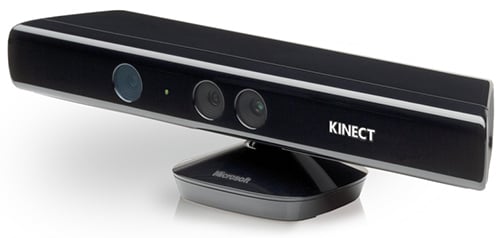
Image: https://images.hothardware.com/static/newsimages/Item29336/microsoft-kinect-for-windowsv1-main1.jpg
Set Up
When connecting a Kinect v1 to a PC, the specific Windows version of the hardware is required, as it includes a proprietary USB power adapter necessary for PC compatibility.
Once the appropriate drivers are installed and the Kinect CHOP node in TouchDesigner is configured to the correct hardware version, the device functions seamlessly. Additionally, Microsoft provides dedicated developer tools that can be utilized for testing and calibrating the Kinect sensor.
This article contains information about the Kinect Version 1 device
Connecting a Kinect 1 to TouchDesigner
Kinect cameras were originally developed by Microsoft for the Xbox gaming console. Equipped with a built-in depth sensor, they are capable of recognizing specific body parts and tracking skeletal movement. Microsoft later released dedicated versions for Windows, with the most recent and advanced iteration being the Azure Kinect.
Image: https://images.hothardware.com/static/newsimages/Item29336/microsoft-kinect-for-windowsv1-main1.jpg
Set Up
When connecting a Kinect v1 to a PC, the specific Windows version of the hardware is required, as it includes a proprietary USB power adapter necessary for PC compatibility.
Once the appropriate drivers are installed and the Kinect CHOP node in TouchDesigner is configured to the correct hardware version, the device functions seamlessly. Additionally, Microsoft provides dedicated developer tools that can be utilized for testing and calibrating the Kinect sensor.
This article contains information about the Kinect Version 1 device